Instructors, subjects and delivery terms
Instructor profiles
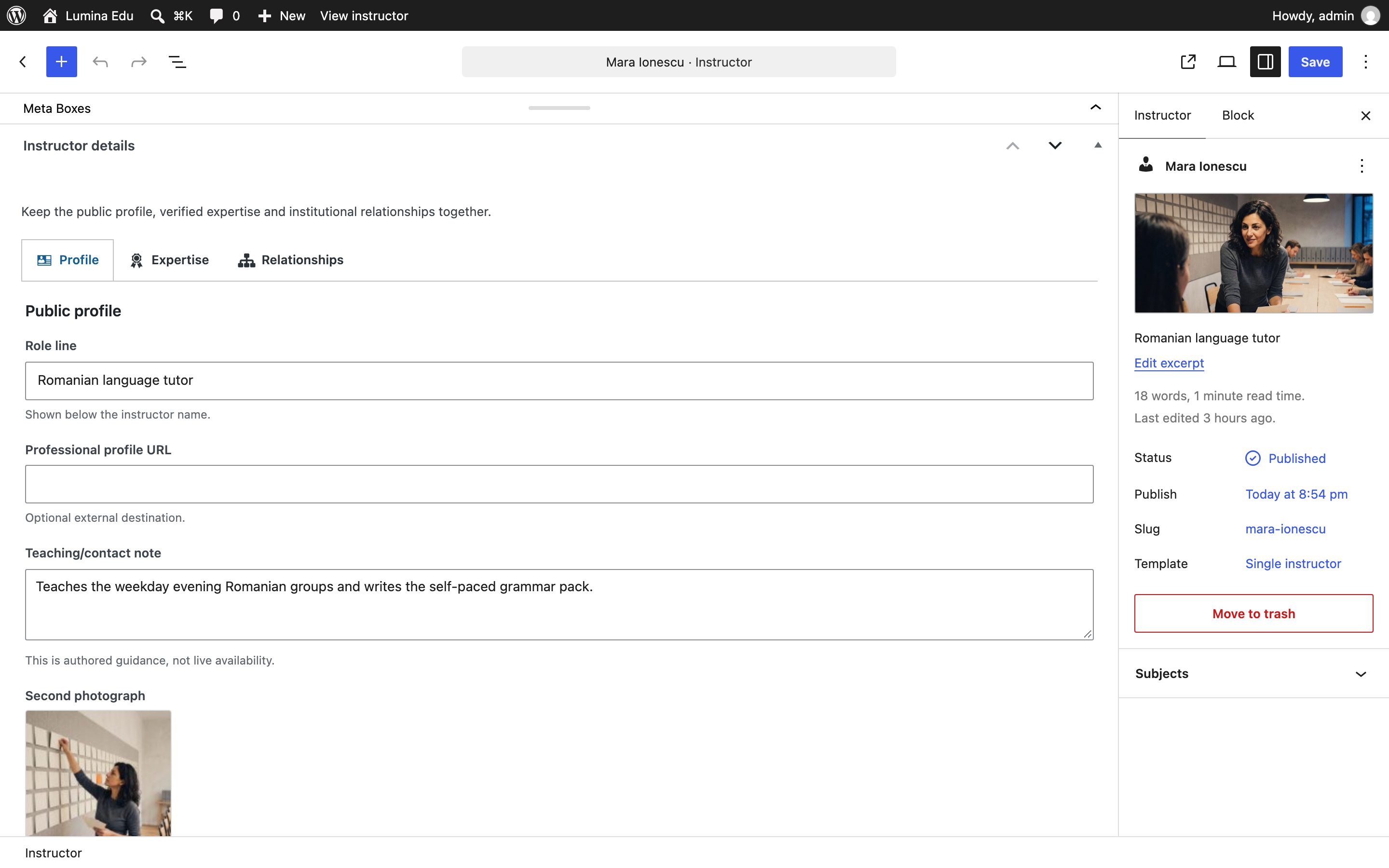
Open Instructors → Add New. Add the person's name and biography in the editor and the short directory summary as the excerpt, then use the three tabs of Instructor details:
- Profile: the role line, the teaching and contact note, an optional professional profile address, and the Second photograph, shown on the instructor's page under the biography.
- Expertise: verified credentials and languages, one per line.
- Relationships: the departments the person belongs to.
Assign subjects in the document sidebar. The Featured image is the portrait.
Where an instructor shows
| Where | What it shows |
|---|---|
Instructors (/instructors/) |
Every published instructor as a slot: the portrait at work, name and role, and on the rail the day and hour of a session they teach. A subject filter narrows the list |
| The tutors on a home, The faculty, Three tutors and what they teach, the tutor seam | The same slots, cut for each section; the faculty rail names the department a person heads |
| A program's page | The program's primary instructor with the portrait; the rail is this program's own next session |
The instructor's page (/instructor/<slug>/) |
The portrait, biography, second photograph, subjects, credentials, languages and teaching note, and the programs they teach with their dates |
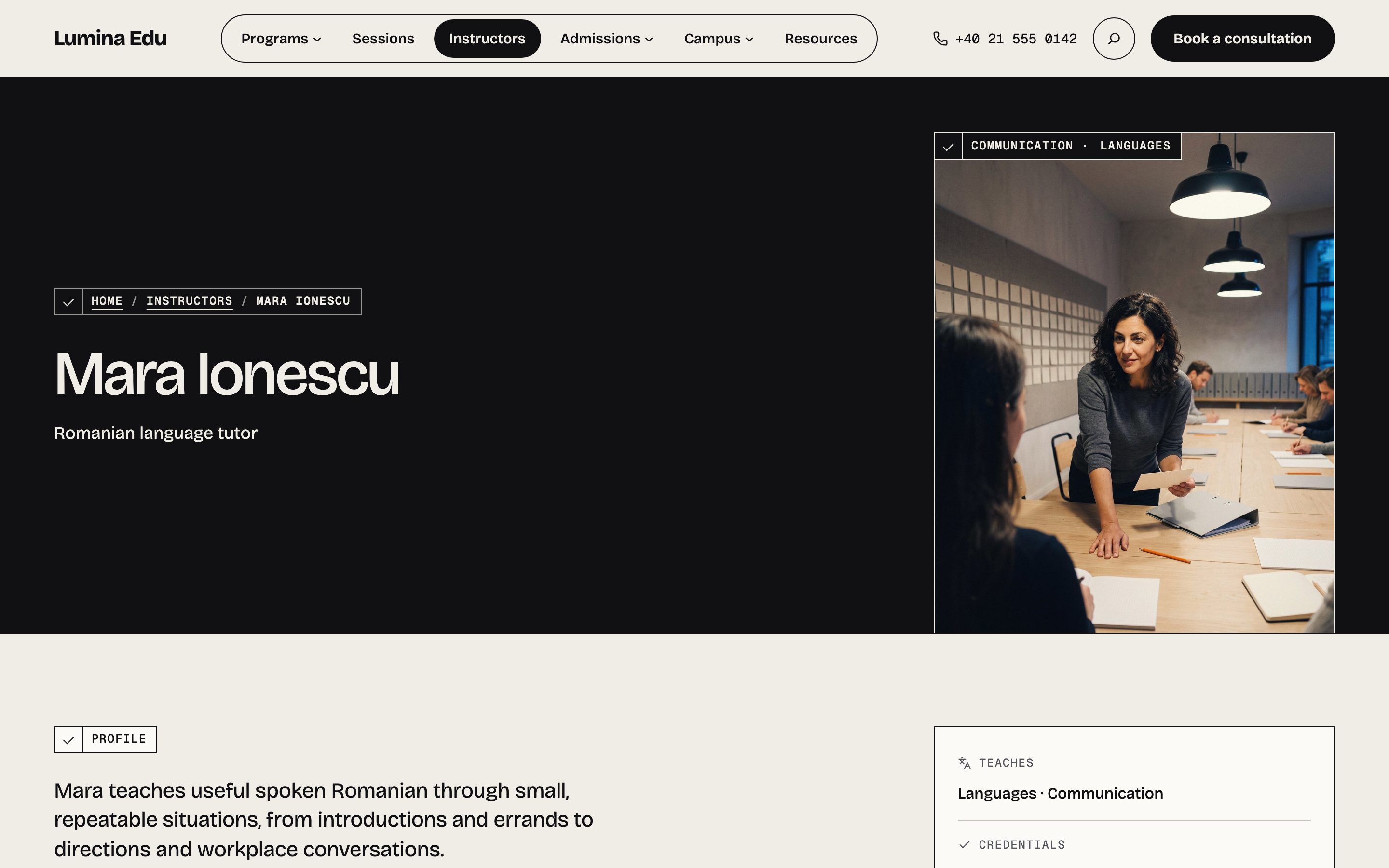
Without a portrait, the person is drawn as a monogram — the initials in the display face — in the same slot, so a row of tutors keeps its rhythm and nothing reads as a broken image. With a portrait, the monogram stays as an outlined mark in the slot's corner. See Photographs.
Credentials are plain statements you write. Verify them before publishing. The teaching note is not live availability and should not imply real-time scheduling. A rail's day and hour are read from the sessions of the programs the person teaches, and move on when a session passes.
Assign an instructor from the program editor. The program remains valid if no instructor is set or an old profile is deleted; no name or heading is invented.
Controlled taxonomies
- Subjects organise the main topic and connect programs to instructors. They are the finder's What.
- Levels are learner-facing descriptions such as Beginner, Intermediate and Advanced: the finder's Level.
- Formats describe delivery: In person, Live online, Hybrid or Self-paced: the finder's How.
- Locations identify a campus or room, or Online. The theme includes no map service.
- Schedule bands support broad browsing (weekday daytime, weekday evening, weekend): the finder's When. Exact times belong in the sessions.
Keep terms short, distinct and useful for decisions. Avoid near-duplicates such as “Online” and “Virtual” unless your school genuinely distinguishes them. Deleting a term changes the finder's choices, so review affected programs first.
Add reusable locations under Programs → Program terms → Locations before assigning them to programs. Put a stable visitor-facing name in the term, such as a campus or Online. Put a one-off room, access or joining instruction in the dated session's Location note instead. This keeps the finder's choices stable when the room for one intake changes.