Campus catalog and migration
The campus catalog is four more kinds of record: departments, campuses, delivery options and admissions deadlines. Several sections of the homes and inner pages are built on them — the departments with their heads, the two places, the campus directory, the deadline ledger — so fill in at least your departments and your one or more campuses. A school in one place records one campus.
Adding these records never changes your existing Program, Instructor or Session records. Existing public program URLs, taxonomy terms, block content and registration links remain in place. The companion plugin owns every new record and renderer, so changing themes does not remove academic data.
Add the new facts in this order
- Create Departments and Campuses under Programs in the dashboard. Departments and
campuses are public records with their own pages (
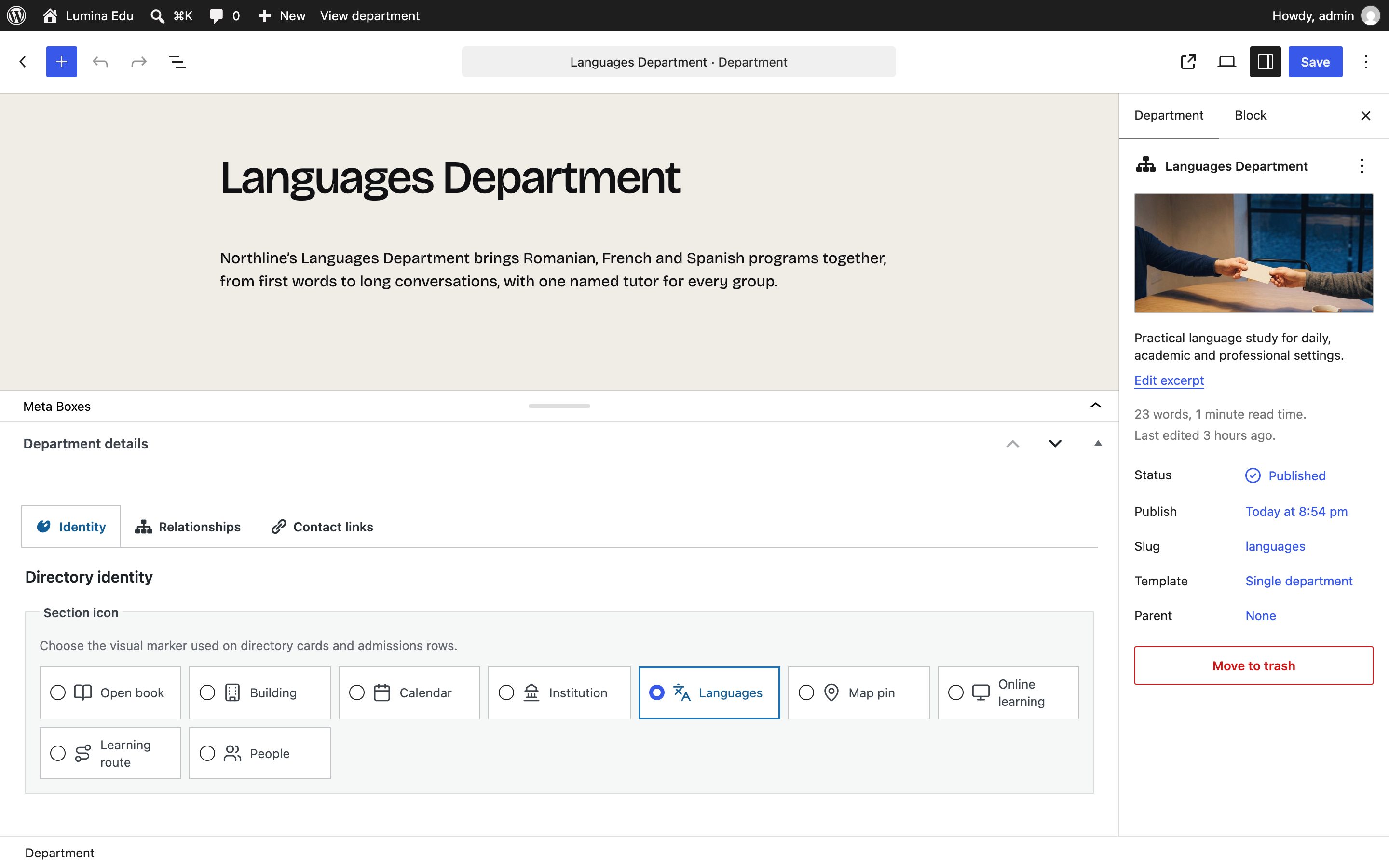
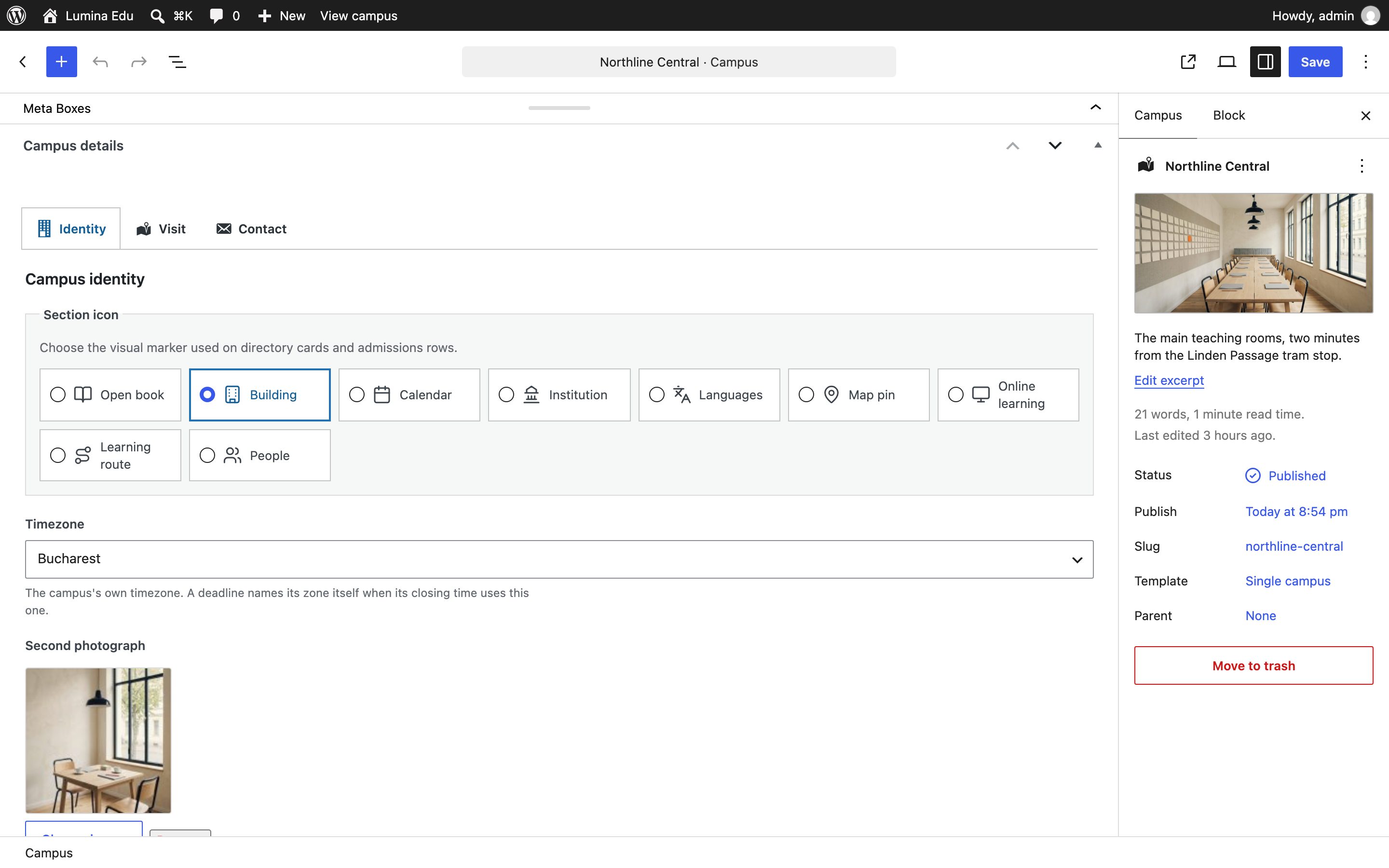
/department/<slug>/,/campus/<slug>/). Give each a Featured image; a campus also takes a Second photograph on its Identity tab, and the campus directory sets the two side by side. Choose a Section icon in each record as well: where a record has no picture, its icon or monogram takes the picture's place, so a published card never depends on a photograph. - Link a program to its department. Keep the existing subject, level, format, location and schedule terms; they preserve existing Finder links and filters.
- Create a Delivery option for each factual program/campus/mode combination. Put the campus-specific duration, fee label and application or enquiry URL on that option only when they differ from the program.
- Link an existing Session to its delivery option where it is unambiguous. A session without one remains valid and is still rendered by the existing timetable and program finder.
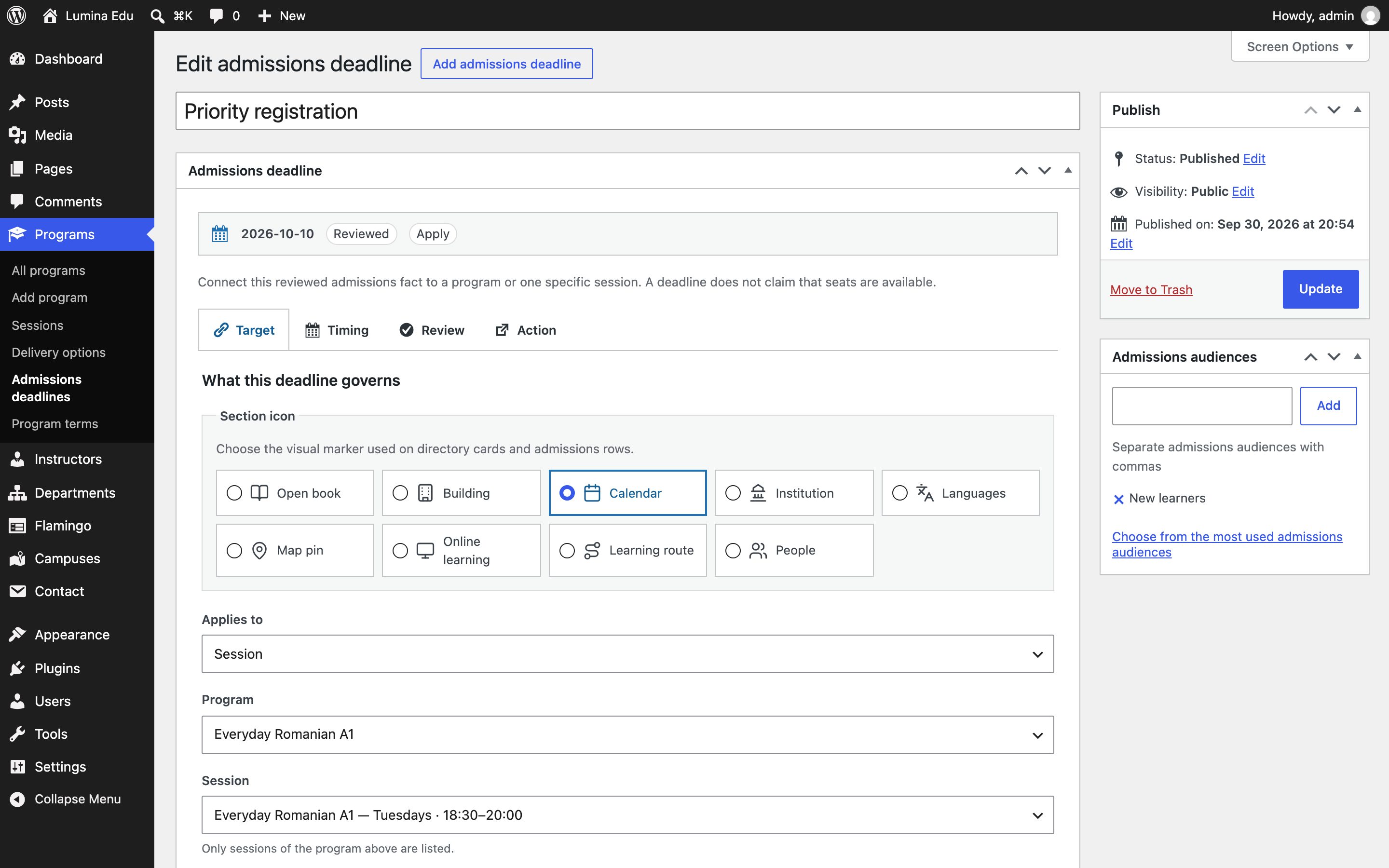
- Create an Admissions deadline for a program or an intake. A deadline is public only when its review state is Reviewed, it has a review date, and its review-due date has not passed. Choose the target by name; the editor switches between Program and Session selectors and never requires a numeric post ID. Work through the Target, Timing, Review and Action tabs in order; each tab groups one editorial decision and hides unrelated fields.
Delivery options and deadlines also have a Section icon. Use the icon to identify the content's job, not its status: the deadline renderer derives Closing soon, Upcoming, Elapsed, Closed, Cancelled or Rolling from the reviewed record and displays that state beside the date. Every public row also names its target, last review date and available next action.
Relationship fields use named selectors throughout the editor. Program faculty and instructor departments support multiple selections, preserve unpublished choices while editing, and can be cleared without leaving stale links. Deadline controls reveal the time only for a timed deadline, mute the date for rolling admissions, and show a live summary of timing, review state and action. Routing fields receive a visible populated state so editors can spot configured destinations. Repeater controls use familiar WordPress move, add and remove icons and remain keyboard accessible.
The first upgrade is additive. It does not guess a campus, delivery mode, deadline or application destination from a legacy program term. That avoids publishing a false campus-specific fee or an expired deadline. The plugin records the installed schema version in the database and reconciles portable deadline references in locked batches of 100. An interrupted batch is safe to retry; the upgrade never rewrites existing post content or permalinks.
Published relationships are validated as one chain: program → delivery option → intake → deadline. If a linked program, campus or delivery option is unpublished, the dependent public record is rejected or hidden. Existing unpublished selections remain visible in their editor selector, so editing another field cannot silently clear the relationship.
Date-only deadlines remain valid through the end of their authored timezone's calendar day. Timed deadlines use their IANA timezone; nonexistent or repeated daylight-saving wall times are rejected until the editor chooses an unambiguous local time. Leaving the deadline timezone empty uses the WordPress site timezone.
Where departments, campuses and deadlines show

| Record | Where it shows |
|---|---|
| Departments | The Departments page (photograph slots, then each department's head); Four departments on the Studio home; Four departments and their heads on the College home; the board grouped by department on the Training home; each department's own page, with its programs |
| Campuses | The Campuses page (each site with two photographs, its address, access and directions); Two places and Two sites, side by side on the homes; the campus band on the College home; each campus's own page, with the programs taught there |
| Admissions deadlines | The Deadlines page ledger; The next three deadlines and the pinned row on the College home; a program's own page |
| Delivery options | A program's page, as its delivery choices, and the routing below |
Counts and dates in those sections — how many programs a department has, its next start, the next deadline — are read from the records while the plugin is active. A deadline row leaves the upcoming lists when it closes, and its state moves from Upcoming to Closing soon on the day it should, in the visitor's browser too.
The Site Editor also offers the plugin's blocks directly: Department directory, Campus directory, Institutional program catalog, Admissions deadlines, Program admissions and Program comparison. Each reads the same records.
Routing rules
A "Register for this session" or "Book a consultation" action follows this order:
- The reviewed deadline's explicit action URL.
- The selected delivery option's URL.
- The program's Application URL or Request-information URL.
- The existing legacy registration or consultation destination.
When a deadline closes, expires or becomes overdue for review, Lumina uses the matching request- information route. It does not restore an Apply action merely because the dated claim is no longer eligible for public display. Intake deadlines retain their delivery option while resolving the destination, so a campus-specific application URL is not replaced by a generic program URL.
The plugin renders no empty control. It does not create enrolments, payments, applications, student accounts or form submissions; use the supplied URL to route to the service that does.
Other plugins
Lumina does not modify another plugin's data, checkout, events, translations, SEO output or learner records. The plugins that were tested with Lumina Edu, and exactly what was tested, are listed in Tested versions. Test any other plugin you rely on with Lumina Edu on a staging copy first.
Before publishing
- Confirm every delivery option has the intended program, campus and mode.
- Confirm every displayed deadline has a reviewed date and a future review-due date.
- Test the "Register for this session" and "Book a consultation" actions in a private browser session.
- Check old program URLs, Finder query URLs and existing sessions after the upgrade.
- Export or back up the site before bulk editorial work.