Booking, orders and enquiries
On its own, this theme never claims a table is free. No availability, no calendar, no countdown, no confirmation — it does not know any of it. A person answers, and until they do nothing is held. The seam says so once, beside the press, and the word confirmed appears nowhere.
That is a design decision, not a missing feature: a site that says a table is held, when nothing held it, is the one failure a restaurant cannot absorb.
There is one way to get real availability, and it is the fourth mode below: install Reef Bookings and describe your room. Then the theme stops guessing and starts asking a real engine, and a request is still a request until you answer it — the second step says so in as many words.
The booking seam: four modes
Settings › Site details › Booking › Mode, plus one mode you get by installing a plugin.
| Mode | What it renders | What it costs you |
|---|---|---|
| Reef Bookings | The booking form itself: a service chooser, the next seven days that service runs, a party stepper, and the times your room can actually seat with the full ones struck through. A request comes back as a docket with a reference. | Nothing to a third party. The plugin is ours and runs on your own site. |
link |
A press that goes to your own reservation page, with the destination named beside it before it is pressed. | Nothing. No account, no fee, no script. |
provider |
A reservation partner's own widget, mounted in a container — plus the plain link underneath it, in every branch. | A third-party script in your visitors' browsers. See the warning below. |
none |
The booking seam renders nothing at all. | — |
Reef Bookings, and why the seam decides for itself
The theme recommends Reef Bookings under Appearance › Install Plugins. It is optional and the theme is complete without it. Install it, describe your room — your tables and their seats, and a service with the hours it runs — and the booking page stops handing off: the seam renders the form instead, against the room you described.
The switch is not a setting, on purpose. The seam asks whether the plugin is there and whether a room exists that it could seat. A plugin that is installed but not yet set up would otherwise replace a working hand-off with an empty form, which is worse than the hand-off. So until there is a table and a service, everything behaves exactly as it did before.
This is the mode the demo ships. Its Mireille room is eleven tables and thirty-four seats, brunch on Saturday and Sunday and souper Thursday to Saturday — delete those and your own room takes their place.
The demo does not send mail. Import it with Reef Bookings active and the importer sets Reef Bookings' Send mail through setting to none (unless you have already chosen one), so the demonstration writes a booking, shows it back and enters it in your book without emailing anybody. It also gives the room the demo's telephone number if yours is not set yet. Switch it to
wp_mail, SMTP or Resend when your own mailbox is ready — before you take a real reservation, because a guest who gets no answer is worse than a guest who could not book.
Whatever the mode, the plain link-out is rendered underneath the container, and <noscript>
carries the same link. A widget that fails to load, is blocked by a content blocker or is refused by
a consent banner still leaves a working way to book. The container is invisible until the partner
puts something in it, so a blocked widget photographs as nothing rather than as a dead grey
rectangle over a working link.
provideris the one setting on the whole site that loads code from another company.Before it is on, the site makes no third-party request anywhere, which is what lets your notices page say there is nothing to consent to. That stops being true the day you switch it on: the partner's script runs in your visitors' browsers, they can see the page was visited, and the consent obligations attach. The settings screen says this where the field is, and so does the agent ability that writes it.
The provider branch is a documented adapter seam, not a compatibility claim for any named service. Test the provider you configure, and keep the plain link as the fallback.
The limits beside the press
| Field | What it is |
|---|---|
| Party max | The largest party the ordinary booking path takes. |
| Group min | Above this, the page sends people to the enquiry instead. |
| Group email | Where a group enquiry is sent. |
| Hold minutes | "A booked table is held for 15 minutes…" — printed only when there is a hold. |
| Vouchers | The sentence the seam prints about vouchers. Leave it empty and the voucher subject disappears from the enquiry form. |
Which services take a table at all comes from the service records — Services › the service › Bookable — and the one-line summary under them ("Bookings: supper and weekend brunch. Everything else is walk-in.") is derived from that, never typed.
To replace one service's written policy for a while, post a Booking slip. It strikes that service's normal policy row and shows the dated replacement. The service remains normally bookable, the baseline summary stays labelled Normally, and nothing in your settings changes. The normal policy returns after the date window closes.
The takeaway order seam: three modes
Settings › Site details › Order › Mode. The same shape as booking.
| Mode | What it renders |
|---|---|
direct |
A link to the café's own ordering page, with the collection sentence beside it. |
partner |
A link to a named marketplace — the name is printed beside the action, before it is pressed. |
none |
Nothing at all. |
There is no cart, no basket, no quantity on a dish row, no checkout, no payment and no delivery, and nothing claims a preparation time or a queue. It is a documented place to put the link, which is what a café that takes collection orders needs every day.
The enquiry form
Six fields — what it is about, name, email, how many people, preferred date, anything we should know — an error summary at the top, and a receipt that says no table is held until somebody answers.
It is an enquiry, never a booking.
The imported book page carries the form. The demo's addresses are reserved example ones
(.example), and the form never mails a reserved address: nobody could read it. So the imported
demo keeps a copy of each enquiry instead (Keep a copy of each enquiry on this site is ticked
in the demo's site details), and an enquiry sent on a fresh import ends in its receipt and is
listed under Enquiries in the admin, with a line saying its mail was not sent. Before you rely
on the form, set Where enquiries are sent (Group email) to a mailbox you read, send yourself
one enquiry, and untick the copy if you would rather the site held none.
How it sends
Two ways in, one handler, neither checked less than the other:
- With no JavaScript, the form posts natively to WordPress's own
admin-post.php, the browser gates the field constraints itself, and the page comes back with the receipt rendered on the server. - With JavaScript, the same fields go to the plugin's own REST route, and the errors are shown in the summary without a reload.
Every sentence the form can show is already in the page — each field's own messages, the summary's headings, each row's label — so a translator changes the page and the server and the browser cannot say two different things about one field.
What it stores: nothing, by default
The mail goes to Group email (or the site administrator if that is empty), with a Reply-To of
the person who wrote, and the request ends. Nothing is written to your database.
Tick Keep a copy of each enquiry on this site and each one is also kept as a private record, listed under Enquiries. That is personal data your site then holds, and your privacy notice has to say so. The copy is deleted once it is older than the retention period your notice states (Settings › Site details, twelve months when none is set), it is never included in an export, and WordPress's own personal-data export and erase tools reach it. The sentence under the button changes to match, in both states.
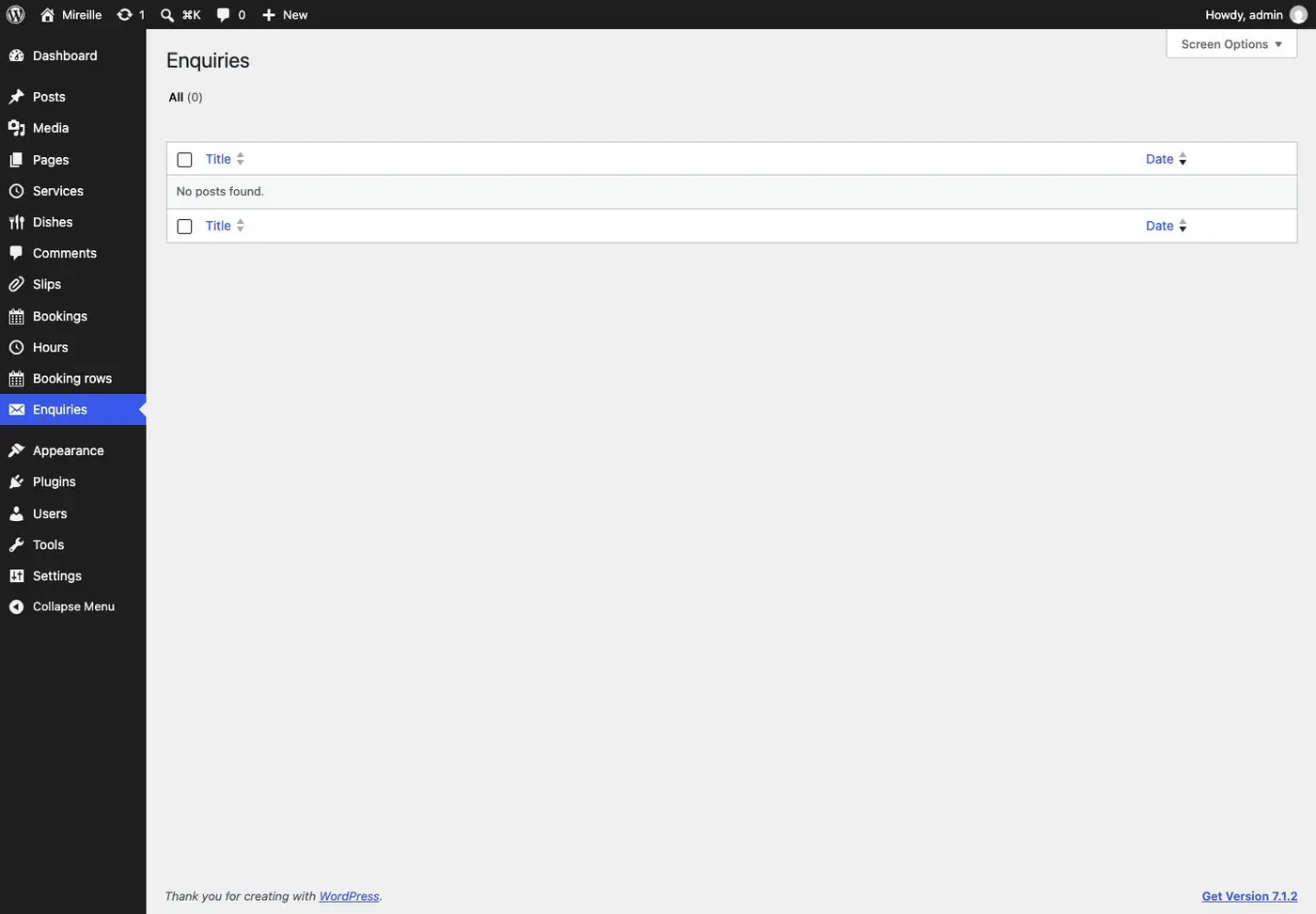
The copy is written before the mail is tried, so with it ticked an enquiry is received even on a host whose mail is broken: the visitor sees the receipt, and the record says its mail did not go. With nothing kept and nothing sent, the visitor is told the message could not be sent.
Email delivery
WordPress sends mail with wp_mail(), which on most hosts means PHP's own mail(). That is the
single most common reason a form "does not work": the mail is sent and silently dropped by the
recipient's spam filter.
If enquiries do not arrive, install an SMTP plugin and send through a real mail service — your own domain's mailbox, or a transactional provider. That account is yours; we own none of it and recommend no particular one.
Spam protection, and no captcha
Four measures, none of which sends your visitors anywhere:
- A WordPress nonce.
- A field no person can see.
- The signed instant the page was drawn — anything sent within three seconds of it was not typed by a person, and anything older than two hours belongs to a stale page.
- Five sends per connection per ten minutes, the connection held as a hash and never as an address.
A submission that trips a trap is answered exactly like a good one and is not sent. Telling a robot which test it failed is how the next attempt passes it.
There is no third-party captcha, and none is planned. A captcha sends every visitor somewhere to be scored. This site sends nobody anywhere — see Privacy.
Who owns what
| Who | |
|---|---|
| The reservation page, or the provider account | You. We link out; we hold no account, no fee and no inventory. |
| The room, tables and bookings in Reef Bookings | You, on your own site. We receive none of it. |
| The ordering page, or the marketplace account | You. |
| An SMTP service for form mail | You. |
| The seam, the form, the policy rows, the slips | The companion plugin, included. |